Skip to content
  • Managed IT
  • IT Services
  • Cloud Phone Service
  • Blog
  • Contact Us

Phone
269-290-7500

Email
[email protected]

Address
4341 S Westnedge Ave STE 1102
Kalamazoo, MI 49008
Directions

Hours
Monday to Friday: 8AM - 5PM

Technology Solutions of MITechnology Solutions of MI
  • Managed IT
  • IT Services
  • Cloud Phone Service
  • Blog
  • Contact Us
Get Help
Technology Solutions of MITechnology Solutions of MI
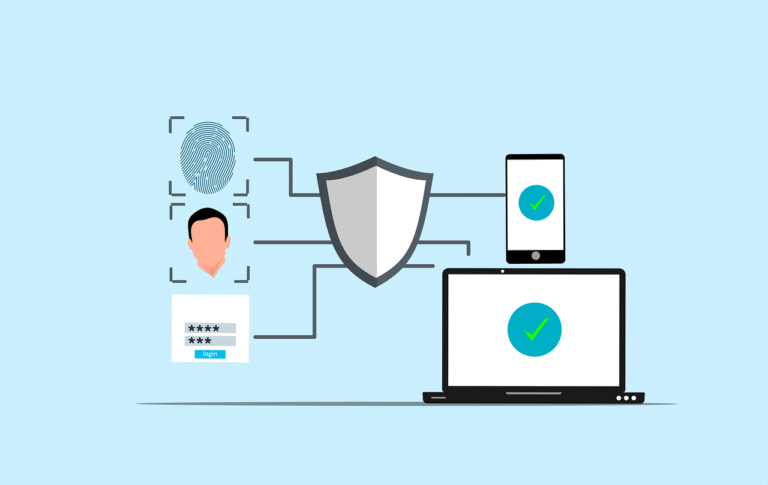
Free cyber security phone login vector
  • Cybersecurity

Top 10 Security Tips for Mobile App Users

Mobile applications have become an integral part of our lives. We use them to browse…

  • Josh HeystekByJosh Heystek
  • OnApril 20, 2025
Read MoreTop 10 Security Tips for Mobile App Users
Free Aerial view of a sleek laptop keyboard on a clean, white surface, ideal for tech backgrounds. Stock Photo
  • New Technology

Is It Time for a Device Upgrade? Check for These 7 Signs

Technology is fast, and in no time, our gadgets get outdated. According to data from…

  • Josh HeystekByJosh Heystek
  • OnApril 15, 2025
Read MoreIs It Time for a Device Upgrade? Check for These 7 Signs
A man sitting at a table using a laptop computer
  • Productivity

How Much Device Storage You Need: A Comprehensive Guide

Device storage decides how many applications, photos, and files you can retain on your device.…

  • Josh HeystekByJosh Heystek
  • OnApril 10, 2025
Read MoreHow Much Device Storage You Need: A Comprehensive Guide
Free hacker computer programming vector
  • Cybersecurity

Spotting the Difference Between Malware and Ransomware

Malware and ransomware are two types of bad software. They can damage your computer or…

  • Josh HeystekByJosh Heystek
  • OnApril 5, 2025
Read MoreSpotting the Difference Between Malware and Ransomware
Free Minimalist home office desk with laptop, smartphone, and plant for a modern work environment. Stock Photo
  • New Technology

7 Ways Using AI for Work Can Get Complicated

AI is going to change how we work. It can make some tasks easier. But…

  • Josh HeystekByJosh Heystek
  • OnMarch 30, 2025
Read More7 Ways Using AI for Work Can Get Complicated
Free A stylish and contemporary home office setup with laptop and desk accessories. Stock Photo
  • Productivity

8 Ways to Organize Your Devices for Productivity

Our devices are a big part of our daily lives: work, fun, and staying in…

  • Josh HeystekByJosh Heystek
  • OnMarch 25, 2025
Read More8 Ways to Organize Your Devices for Productivity
Free malware ransomware scam vector
  • Cybersecurity

How to Minimize Ransomware Damage

Ransomware has now become a big problem for many people and businesses. It can lock…

  • Josh HeystekByJosh Heystek
  • OnMarch 20, 2025
Read MoreHow to Minimize Ransomware Damage
Free attack unsecured laptop vector
  • Cybersecurity

10 Steps to Prevent a Data Breach

Data breaches can harm your business. They can cost you money and trust. Let’s look…

  • Josh HeystekByJosh Heystek
  • OnMarch 15, 2025
Read More10 Steps to Prevent a Data Breach
Prev1 … 4 5 6 7 8 9 10 … 23Next
No more posts to load
No results

Posts

Free Person Writing on Paper Using Yellow and Black Pen Stock Photo

10 Tips to Help Small Businesses Get Ready for the Unexpected

May 11, 2023
Free Security Cyber illustration and picture

How to Use Threat Modeling to Reduce Your Cybersecurity Risk

April 10, 2023
black and orange card on brown wooden table

Is Your Online Shopping App Invading Your Privacy?

April 25, 2023
Free Sign Security vector and picture

9 NSA Best Practices for Securing Your Home Network

May 25, 2023
Free Attack Unsecured vector and picture

What Is Push-Bombing & How Can You Prevent It?

June 2, 2023

Trending now

Free Person Writing on Paper Using Yellow and Black Pen Stock Photo
10 Tips to Help Small Businesses Get Ready for the Unexpected
Free Security Cyber illustration and picture
How to Use Threat Modeling to Reduce Your Cybersecurity Risk
black and orange card on brown wooden table
Is Your Online Shopping App Invading Your Privacy?
Free Sign Security vector and picture
9 NSA Best Practices for Securing Your Home Network

Contact Info

  • Address: 4341 S. Westnedge Ave Suite 1102 Kalamazoo, MI 49008
  • Phone: 269-290-7500
  • Email: info@ts-mi.com

About us

  • About Organization
  • Our Clients
  • Our Stack

Business Hours

Monday – Friday

8:00 AM to 5:00 PM EST

Our Services

  • Managed IT Services
  • IT Services
  • Business Phone Service

Important Links

  • Portal Login
  • Privacy Policy
  • Cookies Policy
  • Terms & Conditions
  • Agent Install
  • Remote Support

Copyright © 2025 - Technology Solutions of MI